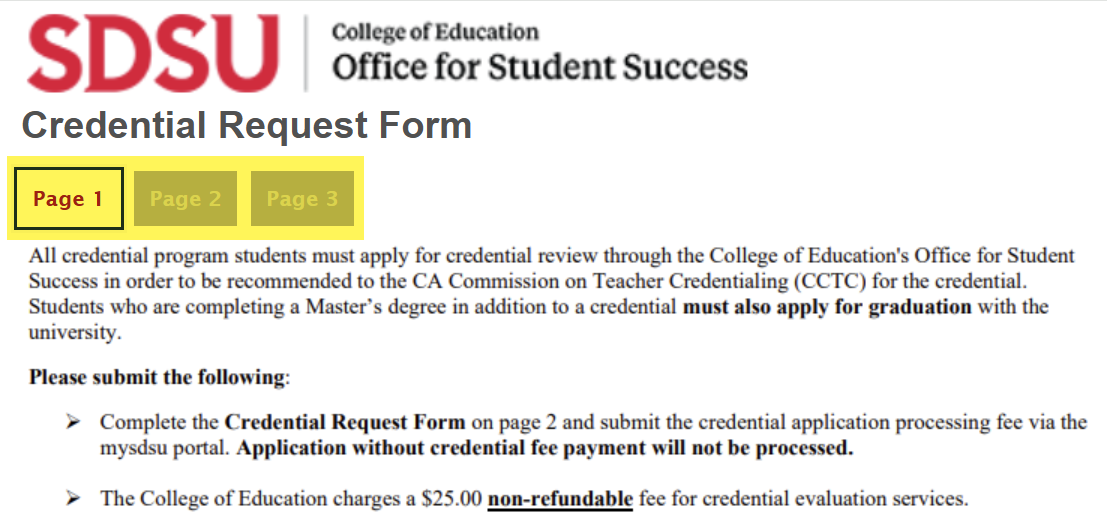
How Do I Submit My Credential Exit Evaluation?
Introduction
Submission for the Credential Exit Evaluation is a two-step process:
1. All credential program students must first pay the Credential Evaluation Fee via my.SDSU.
2. Next, all credential program students must submit the Credential Evaluation Form via my.SDSU, together with a copy of the proof of payment/receipt of the Credential Evaluation Fee.
This guide will review how to make the mandatory payment for the Credential Evaluation Fee via my.SDSU, and then how to navigate in my.SDSU to submit the Credential Evaluation Form.
Note: Your screen may look different from the screenshots in this article.
Instructions
Step 1 - Pay the Teacher Credential Evaluation Fee
1. Click on the Financial Account Tile on your Student Homepage in
my.SDSU.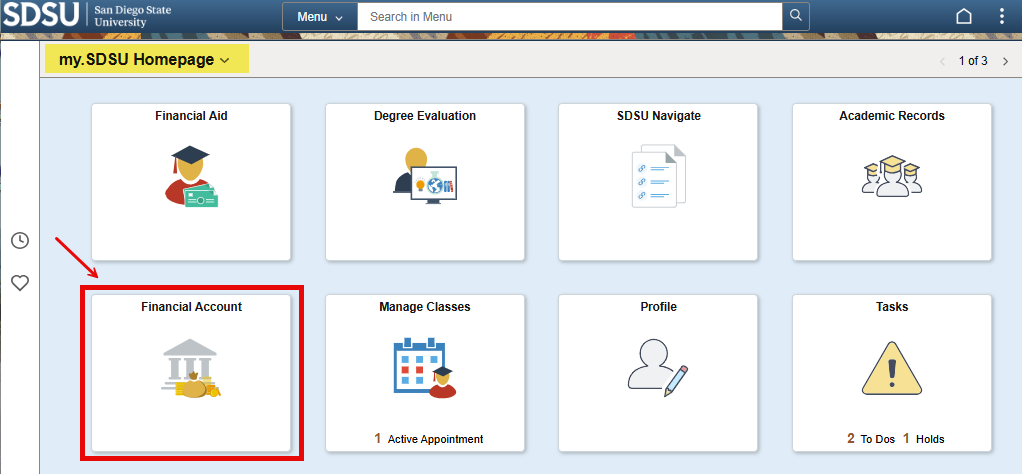
2. Navigate to the Make a Payment link on the left of the page.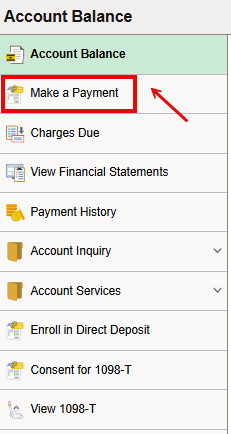
3. Click the 'View all' link on the Available Items section. This takes you to a list of various fee type categories.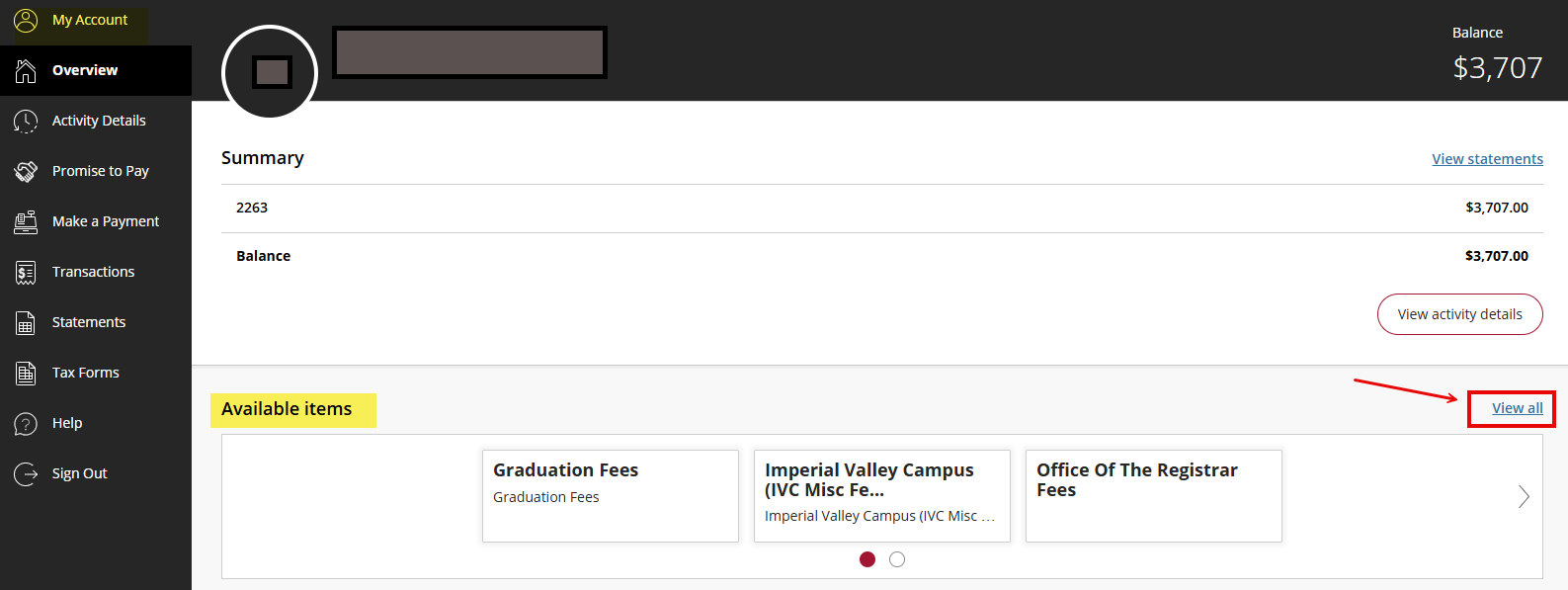
4. For SDSU Campus Students - click on the College of Education Fees Menu [View category] link.
For Imperial Valley Campus Students - click on the Imperial Valley Campus (IVC Misc Fees) [View category] link.
5. Next - select the 'View details' link:
For SDSU Campus Students - select the Teacher Credential Evaluation Fee item.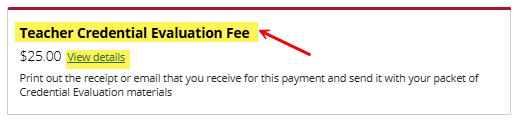
For Imperial Valley Campus Students - select the Division of Education: Credential Evaluation Fee.
6. This brings up the Item details page for the Teacher Credential Evaluation Fee. Select the 'Add to Payment' option.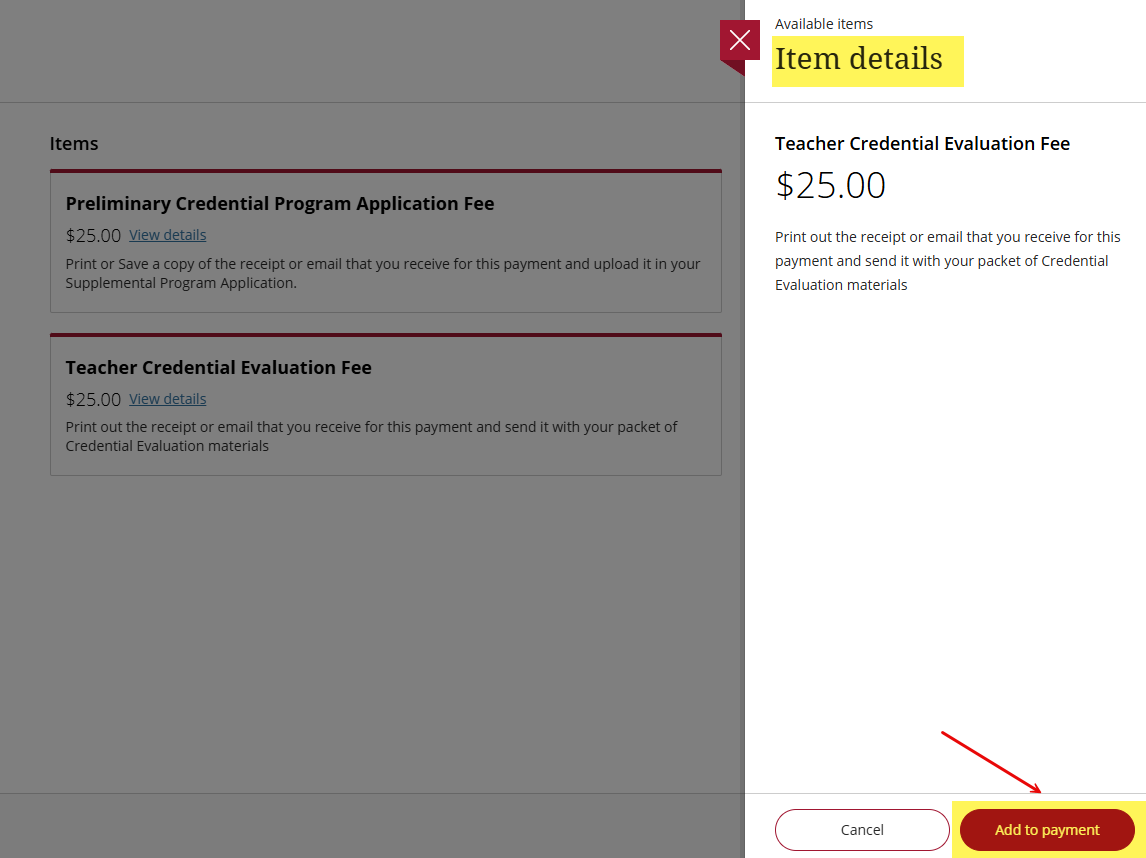
7. The item is now added; select the 'Pay now' option.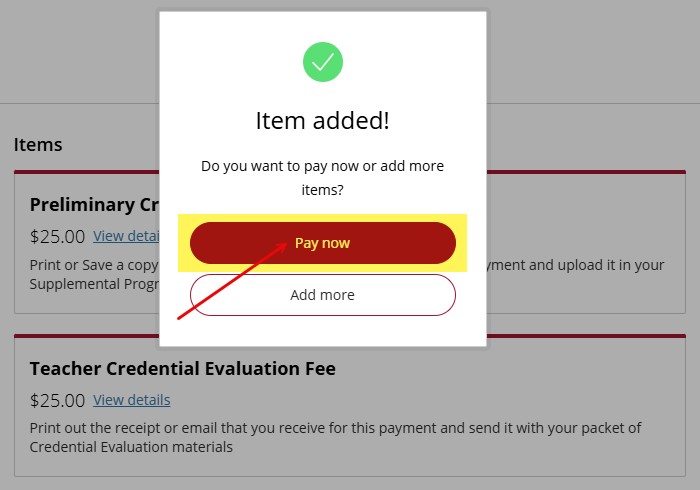
8. This takes you to the Balance of items page. You will see the Teacher Credential Evaluation Fee under the 'Other selected items' section. Scroll to the bottom of the page and click the 'Checkout' icon.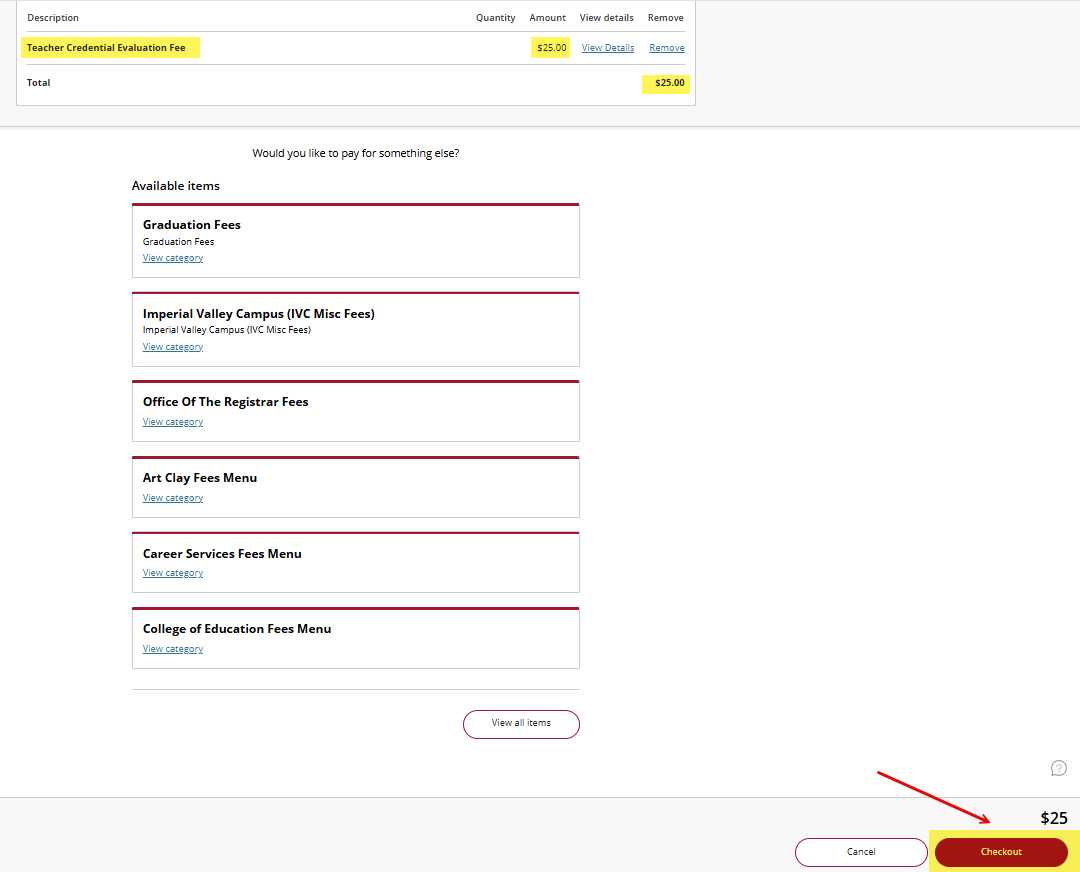
9. Select Payment Method and click on the 'Continue' icon.
Note: You have several payment method options. 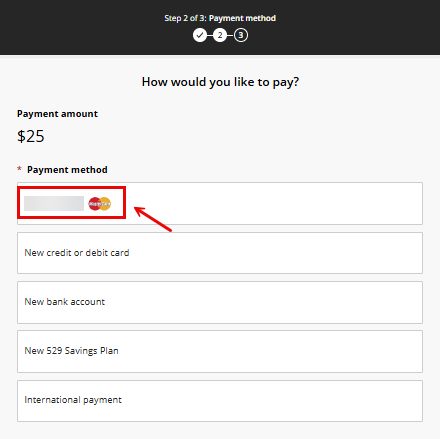
10. After the transaction is processed, you will see a Confirmation of your payment. Click on the receipt link to view the receipt details. Print a PDF copy of the receipt and upload proof of your credential fee payment to your credential request form .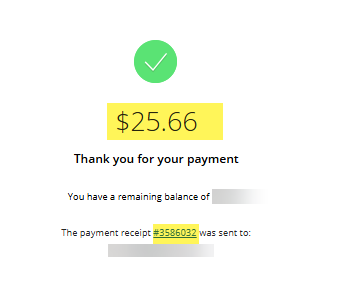
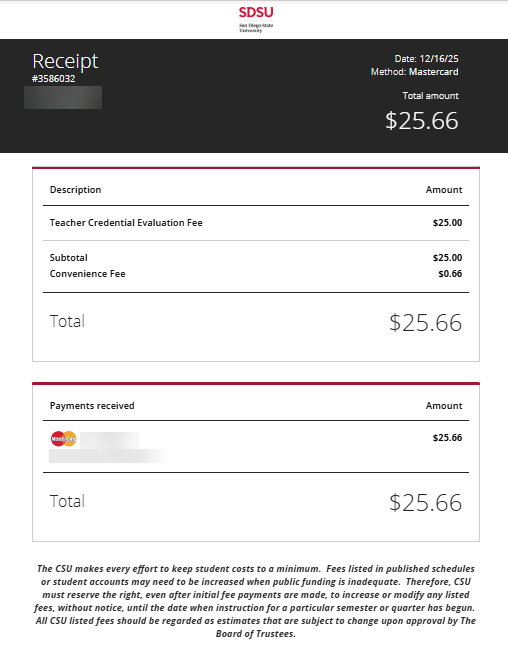
Step 2 - Submit the Credential Evaluation Form
1. To upload proof of your Teacher Credential Fee payment and submit the Credential Evaluation Form, navigate to the Academic Records Tile.
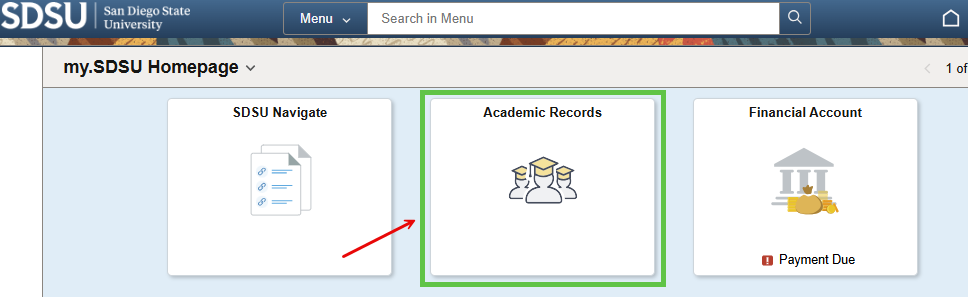
2. This brings up the Unity Forms page. Select the Student Records Forms on the left navigation panel, followed by Credential Students - Credential Evaluation Form.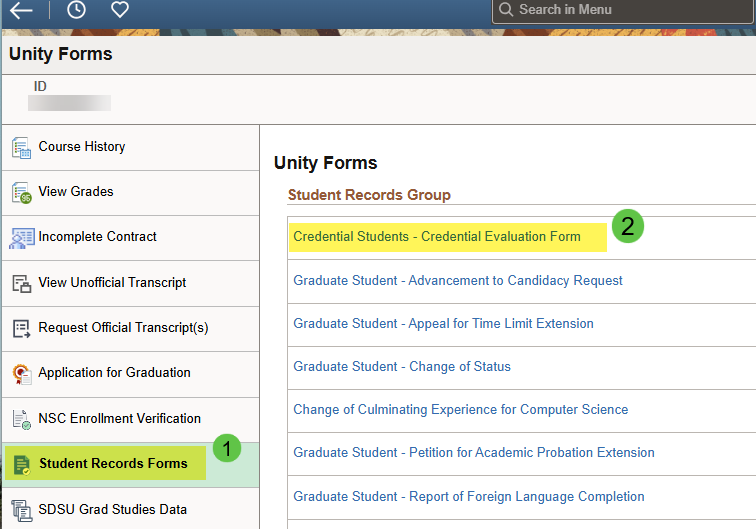
13. Read and follow all the instructions listed on pages 1, 2 and 3 of the Credential Request Form.