How Do I View My Schedule?
Introduction
Note: Your screen may look different from the screenshots in this article.
Access and information in the Faculty Center is based on faculty assignments and is term based.
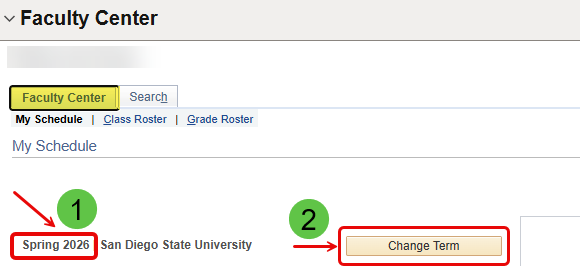
1. When you access the Faculty Center, you will see a list of classes in a given term. If you need to access a different term, select the 'Change Term' icon.
2. This brings up the list of terms based on the history of your faculty assignments and workload at SDSU.
Select the term you wish to view, then hit the 'Continue' icon.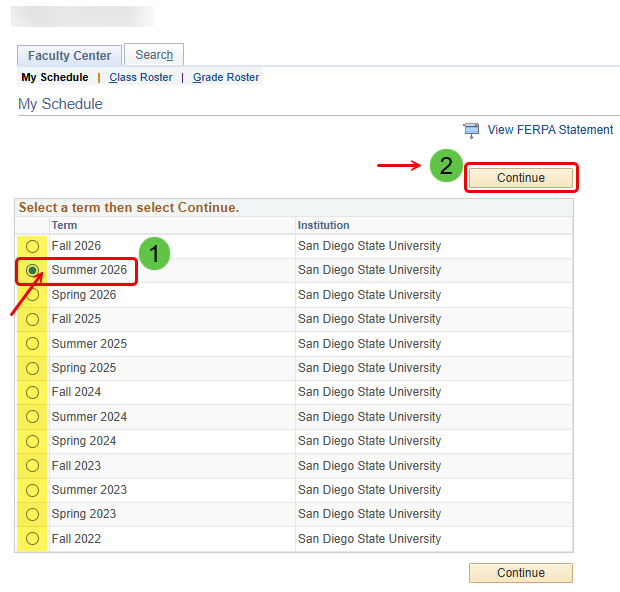
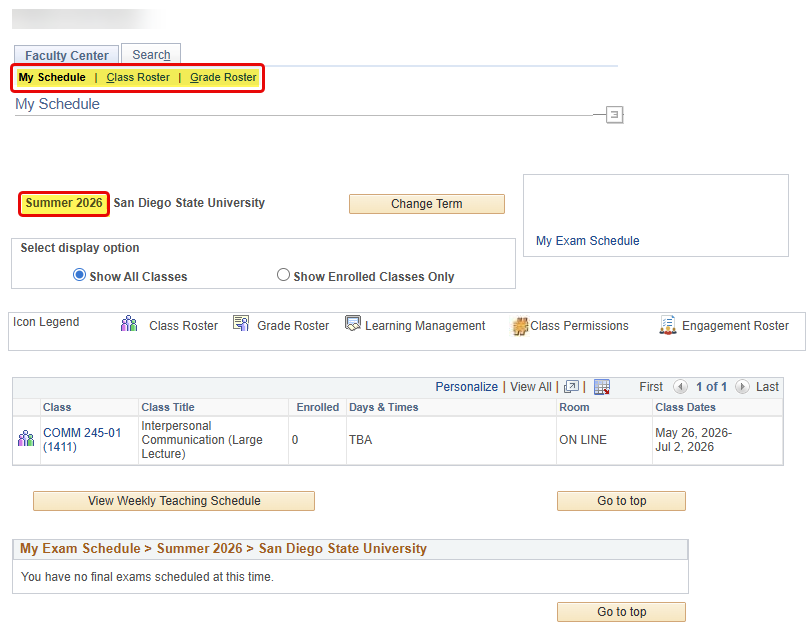
The Faculty Center contains three subtabs that assist with organizing course information and enrollment: Class Roster, Grade Roster, and My Schedule.
This guide will cover My Schedule, which can be used to view teaching schedules.
Instructions
Watch Tutorial
View Time | 0:53 Mins
Watch this video to learn about My Schedule.
View Schedule
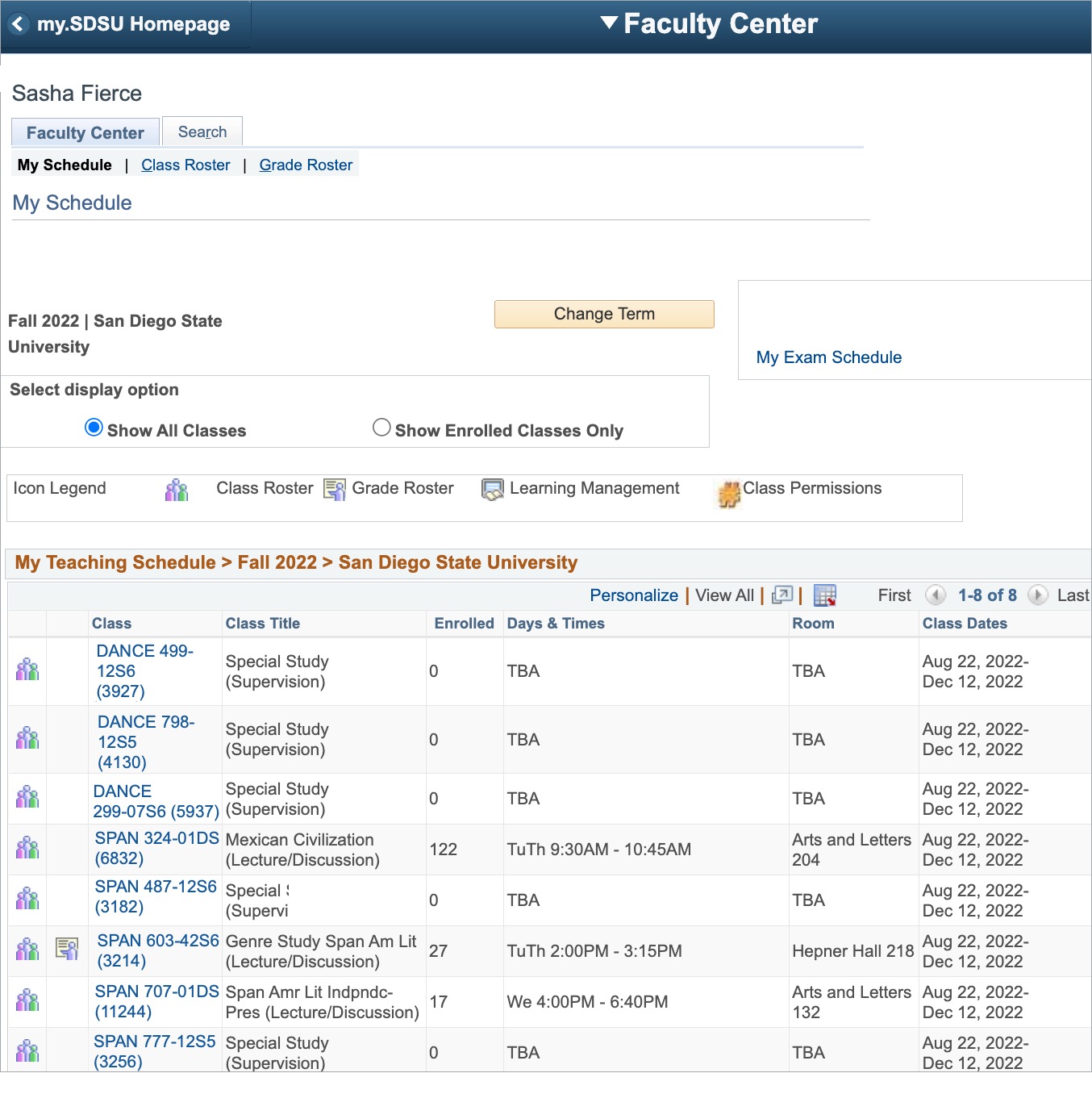
When you select the Faculty Center tab, the My Schedule tab becomes the active page by default.

My Schedule
My Schedule contains your scheduled class enrollment information, such as course ID, session, and enrollment information, as well as links to class and grade rosters when they are available.